
Logrotate for a Home Server — Keep Logs Useful Without Letting Them Fill the Disk
Logrotate for a Home Server — Keep Logs Useful Without Letting Them Fill the Disk
A home server can run quietly for months, which is exactly why its logs are easy to forget. Then one evening an application refuses to write data, an update fails, and df -h reveals that a harmless-looking log file has consumed the remaining disk space.
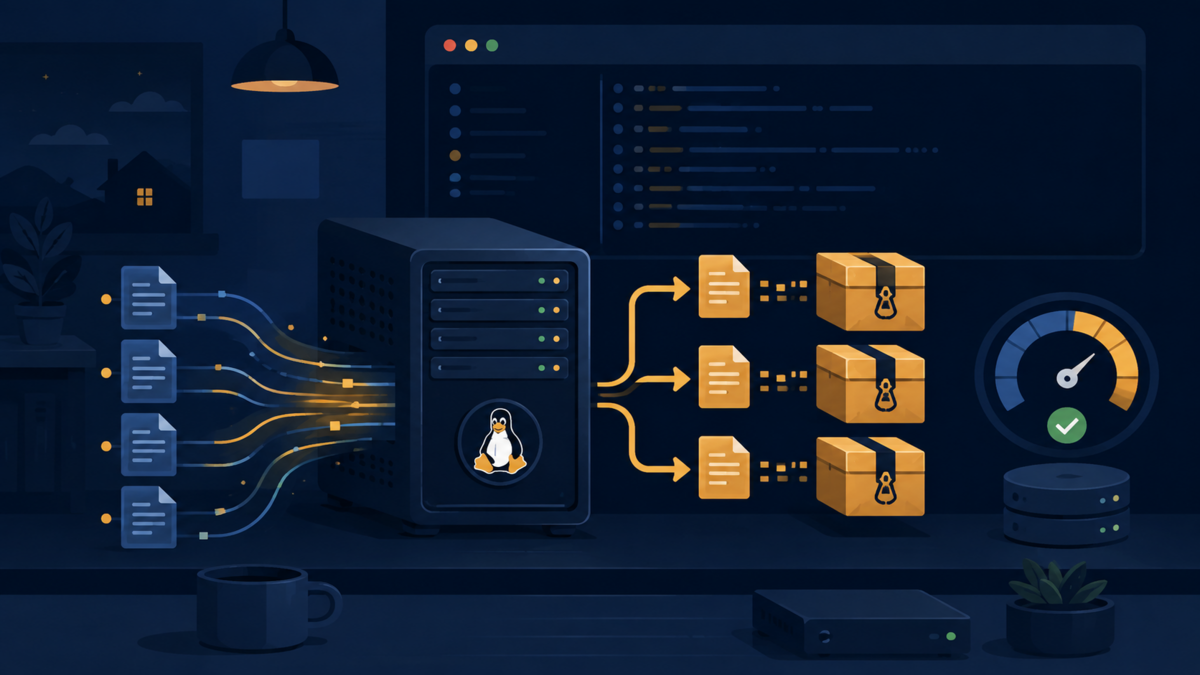
I think of logs like receipts in a kitchen drawer. Keeping them is useful when something needs to be checked, but keeping every receipt forever eventually makes the drawer impossible to use. logrotate gives Linux a routine for sorting that drawer: close the current bundle, keep a limited history, compress older records, and discard what has passed its useful lifetime.
What log rotation actually does
Rotation does not usually erase the active log without a trace. It renames or archives that file, creates room for a fresh one, and applies a retention policy to older archives. A file named app.log might become app.log.1, then app.log.2.gz, while the application continues writing to a new app.log.
This solves two related problems. First, a single file no longer grows without a boundary. Second, troubleshooting remains practical because recent history is preserved in predictable pieces. Rotation is not the same as centralized log management or a backup. It is local housekeeping, and it remains valuable whether the server has one custom script or a full observability stack.
Inspect the existing setup before changing it
On Debian and many other distributions, the main configuration is /etc/logrotate.conf, while package-specific rules live under /etc/logrotate.d/. The system normally invokes logrotate through a systemd timer or a scheduled job. Start by inspecting what already exists instead of creating a second scheduler.
logrotate --version
systemctl status logrotate.timer
systemctl list-timers logrotate.timer
sudo ls -l /etc/logrotate.d/
sudo cat /etc/logrotate.conf
The timer may run daily, but that does not mean every file rotates daily. The scheduler only asks logrotate to evaluate its rules. State stored in /var/lib/logrotate/status lets it remember when each log was last processed. This separation is like a caretaker checking every room each morning: the check is daily, but a bin is emptied only when its rule says it is due.
Create a rule for a custom application
Suppose a self-hosted application writes to /var/log/myapp/app.log. Create /etc/logrotate.d/myapp with a focused policy. The following example rotates weekly, but also rotates sooner when the active file reaches 50 MB.
/var/log/myapp/app.log {
    weekly
    size 50M
    rotate 8
    compress
    delaycompress
    missingok
    notifempty
    create 0640 myapp adm
    su myapp adm
}
rotate 8 keeps eight archived generations. compress saves disk space, while delaycompress leaves the newest archive uncompressed until the next cycle; that can help software which briefly keeps the old file open. missingok avoids an error if the log does not exist, and notifempty skips an empty file.
The create line defines the permissions, owner, and group of the replacement file. Those values must match the service that writes the log. The su directive tells logrotate which user and group to use while rotating logs in that directory. Do not copy these identities blindly: check them with stat /var/log/myapp/app.log and inspect the service definition first.
Choose time, size, and retention deliberately
A good policy follows the rate at which data is produced and the amount of history that is genuinely useful. A quiet backup script may need monthly rotation. A reverse proxy receiving many requests may need daily or size-based rotation. Retaining eight weekly archives gives roughly two months of history, but it does not guarantee an exact number of days when the size threshold triggers additional rotations.
Be careful with the difference between size, minsize, and maxsize. size 50M makes size the primary trigger. minsize 50M rotates only when both the scheduled period has passed and the file is large enough. maxsize 50M permits an early rotation after the file crosses the limit, even before the time interval has elapsed.
Retention should also reflect recovery needs. Security and audit logs may require a longer period than noisy debug output. However, a retention rule is not a compliance strategy by itself. Anyone who can compromise the server may be able to alter local archives too, so important evidence should also be shipped to a separate system with appropriate access controls.
Handle applications that keep files open
Renaming a log works cleanly only when the application can reopen its file. Some daemons understand a signal, some provide a reload command, and others keep writing to the renamed inode. In the last case, the new file stays empty while disk usage continues growing in the archive.
For a systemd service that reopens logs after a reload, add a postrotate script. The script runs after rotation, and sharedscripts ensures it runs once even if a pattern matches multiple files.
/var/log/myapp/*.log {
    daily
    rotate 14
    compress
    missingok
    notifempty
    create 0640 myapp adm
    sharedscripts
    postrotate
        systemctl reload myapp.service >/dev/null 2>&1 || true
    endscript
}
Use the command recommended by the application rather than assuming reload is supported. copytruncate is a fallback that copies a file and truncates the original in place, but writes can be lost in the tiny interval between those operations. It is convenient, not ideal. Applications that log directly to journald usually do not need a custom logrotate rule because journald has its own size and retention controls.
Test the rule without gambling on production logs
A configuration should be tested before waiting for the next scheduled run. Debug mode parses the configuration and explains what logrotate would do without changing files. Run it against the specific rule first.
sudo logrotate --debug /etc/logrotate.d/myapp
sudo logrotate --verbose /etc/logrotate.d/myapp
The verbose command performs only actions currently due. For a controlled one-time test, forcing rotation is possible, but it should not become a routine command because every forced run advances the archive chain.
sudo logrotate --force --verbose /etc/logrotate.d/myapp
sudo ls -lh /var/log/myapp/
sudo systemctl status myapp.service
Afterward, confirm that the service is healthy, the active file has the expected ownership, new lines appear in it, and archived files can be read. If compression is enabled, zless or zgrep can inspect .gz archives without manually extracting them.
Monitor the policy instead of forgetting it
Rotation reduces risk, but a typo, changed service account, or failed reload can silently break the routine. Check the timer in normal server maintenance and review its recent journal. A disk alert is still necessary because logs are only one possible consumer of storage.
systemctl list-timers logrotate.timer
journalctl -u logrotate.service --since "7 days ago"
df -h
sudo du -xhd1 /var/log | sort -h
A healthy policy has observable results: bounded active files, archives with sensible dates, correct permissions, and no recurring errors in the service journal. It is also worth revisiting the settings after traffic changes. A 50 MB threshold that was generous for a personal project can become far too small after the application gains users.
Conclusion: make logs finite, not disposable
The goal of logrotate is not to make logs disappear. It is to keep them useful within a boundary the server can afford. Inspect the existing scheduler, write one narrow rule, match ownership to the application, account for open file handles, and test with debug mode before forcing anything.
That small routine turns disk usage from a surprise into a policy. If you have a logrotate rule that saved a home server, or an application that needed an unusual postrotate command, share the lesson in the comments so other self-hosters can benefit from it.