
Production Error Handling for Small PHP Applications - Show Less, Learn More
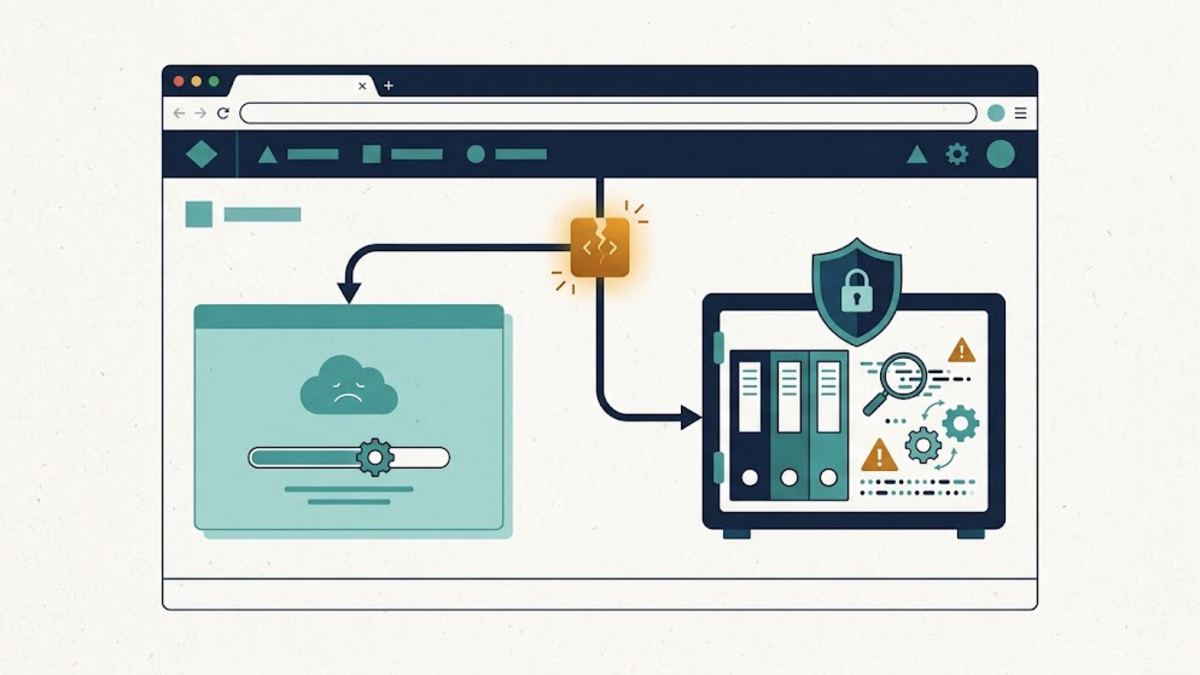
A PHP page fails halfway through a request. What should the visitor receive, and what should the operator keep? Those are related questions, but they should not have the same answer. A visitor needs a stable response that does not expose the application internals. The person diagnosing the failure needs enough private evidence to find the broken path.
This separation is easy to miss in a small application. Showing every error makes development convenient but leaks details in production. Hiding every error without recording it produces the opposite problem: a polite blank wall with no useful trail behind it. A more defensible design creates two outputs from one unexpected failure: a restrained HTTP response and a protected diagnostic event.
This article develops that pattern for a small PHP application. It is deliberately a baseline, not a complete monitoring platform. Frameworks may already provide a better-integrated handler, and every deployment still needs its own retention, access-control, and alerting decisions.
First separate expected failure from unexpected failure
Not every unsuccessful request is an application crash. A missing article, invalid form field, expired login, and failed authorization check are outcomes the application can anticipate. They deserve explicit handling near the relevant code, an appropriate 4xx status where applicable, and a message that helps the user take the next sensible step.
An unexpected failure is different. A programming defect, broken invariant, or unavailable dependency can prevent the server from completing a valid request. RFC 9110 defines 5xx responses as server errors and describes 500 as an unexpected condition that prevented the request from being fulfilled. That makes 500 suitable as a last-resort status for an uncaught server-side failure. It should not become a convenient bucket for every rejected input.
The distinction matters operationally. If ordinary validation mistakes become 500 responses, a real incident is harder to see among the noise. If genuine crashes return 200, clients, uptime checks, and access logs can mistake failure for success. The status code is part of the diagnosis, not decoration around the error page.
Configure PHP to report without revealing
Production error handling begins below the application handler. The PHP runtime configuration documentation says that display_errors is a development feature and should not be used on production systems. It separately recommends error logging rather than error display for production websites.
A conservative production posture looks like this:
; production php.ini or an appropriate PHP-FPM configuration
error_reporting = E_ALL
display_errors = Off
display_startup_errors = Off
log_errors = On
error_reporting = E_ALL does not mean every diagnostic must appear in the browser. Reporting, displaying, and logging are separate controls. Keeping reporting broad while display is off allows diagnostics to reach the configured logging path without turning the response into a debugging screen.
The exact destination is deployment-specific. PHP can use an explicitly configured error_log, the SAPI logger, or the system logger, depending on configuration. That destination needs restricted read access, working write permissions, rotation, and enough free space. A setting that says logging is enabled is not evidence that records are actually durable.
These settings belong in the server configuration rather than only in application code. PHP notes that changing display_errors at runtime cannot affect a fatal error that occurs before the relevant call executes. A syntax failure in the bootstrap file cannot be repaired by an ini_set() line that PHP never reaches.
Add a small last-resort handler
PHP's set_exception_handler() registers a callback for an uncaught Throwable. The Throwable interface covers both Error and Exception. After the callback runs, execution stops; this is a boundary for graceful termination, not a way to resume the failed request.
The following framework-free example generates a correlation ID before registering a minimal handler. It records conservative fields, sets an explicit status, and returns a generic HTML response:
<?php
declare(strict_types=1);

$requestId = bin2hex(random_bytes(8));

set_exception_handler(static function (Throwable $error) use ($requestId): void {
    $event = [
        'time' => gmdate('c'),
        'level' => 'error',
        'event' => 'uncaught_throwable',
        'request_id' => $requestId,
        'type' => $error::class,
        'file' => $error->getFile(),
        'line' => $error->getLine(),
    ];

    error_log((string) json_encode(
        $event,
        JSON_UNESCAPED_SLASHES | JSON_INVALID_UTF8_SUBSTITUTE
    ));

    if (!headers_sent()) {
        http_response_code(500);
        header('Content-Type: text/html; charset=UTF-8');
        header('Cache-Control: no-store');
    }

    $safeId = htmlspecialchars($requestId, ENT_QUOTES, 'UTF-8');
    echo '<h1>Something went wrong</h1>';
    echo '<p>Please try again later. Reference: ' . $safeId . '</p>';
});
The public reference and private request_id let an operator locate the corresponding event when a visitor reports a problem. As the OWASP Logging Cheat Sheet explains, an interaction identifier helps connect events belonging to one interaction. It is only a correlation value: it is not authentication, authorization, or a secret.
The explicit call to http_response_code(500) is important because PHP's default status in a web-server context is 200 until another status is set. The headers_sent() check acknowledges a limitation rather than hiding it. If output already began, the handler might be unable to replace the status and headers. Output buffering and a front controller can reduce that risk, but the correct choice depends on the application.
Log enough, but not everything
It may be tempting to add the full exception message, stack trace, request body, headers, session, and user record. More context can shorten debugging, but indiscriminate context creates a second sensitive database disguised as a text file.
OWASP advises that passwords, access tokens, session identifiers, database connection strings, encryption keys, and sensitive personal data should not normally be logged directly. Exception messages can also contain SQL text, filesystem paths, remote responses, or user-controlled values. The example therefore starts with event type, class, code location, time, and correlation ID. An application can add carefully selected fields once their data origin and redaction rules are understood.
Untrusted text also affects log integrity. Carriage returns, line feeds, and delimiters can forge entries or break a downstream parser. Structured JSON encoding is more predictable than hand-built delimiter strings, but encoding alone does not decide whether a field is safe or necessary. Validate field lengths, remove prohibited control characters where appropriate, and keep raw request data out by default.
Log access deserves the same care as other privileged application data. Keep logs outside the public document root, restrict readers, rotate them, and define a retention period based on actual operational and legal needs. There is no universal duration that fits every personal site or organization.
What the minimal handler does not solve
A last-resort handler improves the final failure path, but several boundaries remain:
- It does not handle expected business outcomes; those still need local, specific responses.
- It cannot protect a response already partially sent, and it cannot run before the bootstrap reaches its registration.
- It does not prove that PHP-FPM, the web server, or the operating system kept the log entry.
- It does not detect a hung worker, a killed process, an exhausted disk, or a server that never invokes PHP.
- It should remain simple because a complicated handler can itself fail while the application is already in an uncertain state.
The OWASP Error Handling Cheat Sheet frames the goal well: return a generic response for an unexpected error while recording details server-side for investigation. That reduces accidental information disclosure, but it is not a substitute for fixing the underlying defect, validating input, enforcing authorization, or monitoring availability.
Verify the failure path deliberately
An error path that has never been exercised is still an assumption. Test it in a controlled non-production environment and then verify the production configuration without exposing sensitive output. Useful checks include:
- Trigger a known test exception after the handler is registered.
- Confirm that the response status is 500 rather than 200.
- Confirm that the body contains only the generic message and correlation ID, with no stack trace, path, SQL, or secret.
- Find the same ID in the intended server-side log and verify that the event is readable.
- Test an ordinary validation failure separately and confirm that it keeps its intended 4xx response.
- Simulate a missing log permission or low-space condition in a safe environment and observe the behavior.
- Check rotation, retention, and access permissions instead of waiting for the disk or an unauthorized reader to reveal the omission.
The Logging Cheat Sheet explicitly recommends testing logging failures, resource exhaustion, injection resistance, and access controls. This is the less glamorous half of error handling, but it determines whether the evidence will exist when it is needed.
Show less publicly, learn more privately
Good production error handling is not silence. It is a deliberate split between audiences. The visitor receives an honest status, a calm message, and a reference they can report. The operator receives a constrained event in a protected place. Expected failures remain specific; unexpected failures reach a small last-resort boundary.
The minimal pattern here is a starting point. A real application may need framework integration, centralized collection, alerts, traces, or stronger redaction. The useful question is not "How much error detail can be captured?" but "Which minimum details let this failure be understood without creating another disclosure risk?"