
HTTP Security Headers that You Must Install — First Protection Before Exploits Come
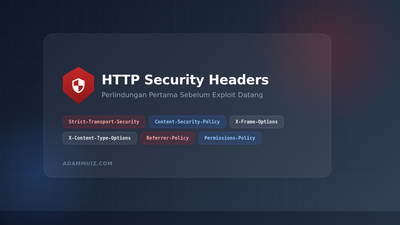
There are times when I feel like a website that has been painstakingly built is like a new house: solid foundation, good paint, neat furniture. But forgot to lock the door. It doesn't mean that the house is bad, but one small gap is enough for irresponsible people to enter. On the web, such loopholes are often not due to complex business code, but rather HTTP security headers that have not been set up properly.
I used to think website security was just about strong passwords and regular CMS updates. It turns out that modern browsers have additional defense mechanisms that we can activate with just a few lines of configuration on the server. These lines are called HTTP security headers. They don't change the appearance, they don't slow down loading, but they can make a big difference when someone tries to exploit your app.
What are HTTP Security Headers?
Every time the browser requests a web page, the server sends a reply in the form of HTTP response headers. In addition to information such as Content-Type and Content-Length, the header can also contain security instructions. These instructions tell the browser, "Hey, don't do this," or "Always do that."
The analogy is like the household rules that we stick on the refrigerator. Children can still cook, but they know the boundaries that should not be crossed. Likewise with browsers: security headers do not limit the functionality of the website, they only limit risky behavior.
Interestingly, many classic web attacks such as clickjacking, cross-site scripting (XSS), and man-in-the-middle can be largely mitigated with just the right headers. Of course headers are not a magic bullet, but they are a cheap and effective first layer of defense.
Essential Headers that You Must Know
1. Strict-Transport-Security (HSTS)
Imagine you order a motorbike taxi online and the driver offers, "Would you like to take the mouse route instead? It's faster." Of course you refuse because you don't know what is waiting there. HSTS works in a similar way: it tells the browser, "This website should only be accessed via HTTPS. Never try the HTTP version."
HSTS prevents SSL stripping attacks, in which an attacker forces a connection down from HTTPS to HTTP. Once the browser receives this header, it will always access your domain via HTTPS for the period you specify.
add_header Strict-Transport-Security "max-age=31536000; includeSubDomains; preload" always;max-age=31536000 means the browser stores rules for one year. includeSubDomains ensures rules apply to all subdomains. Meanwhile preload is an optional addition if you want to register a domain to Chrome's HSTS preload list.
2. Content-Security-Policy (CSP)
CSP is the most powerful and most tricky header. It's like the exclusive guest list at a party: only registered sources may bring scripts, images, stylesheets, or other resources to your page. If a malicious script tries to enter from a wild domain, the browser will reject it.
XSS attacks often occur because attackers manage to insert scripts into your pages. With strict CSP, even if the script goes through, the browser will not execute it because the source is not on the allow list.
add_header Content-Security-Policy "default-src 'self'; script-src 'self' https://cdn.example.com; style-src 'self' 'unsafe-inline'; img-src 'self' data: https:; font-src 'self'; frame-ancestors 'none';" always;The above configuration allows scripts only from your own domain and certain CDNs, images from your own domain along with URI data, and prohibits your page from being wrapped in an iframe. For starters, you can use Content-Security-Policy-Report-Only mode so that the browser reports violations without blocking anything. Once you're sure, then move on to the actual CSP header.
3. X-Frame-Options
This header specifically protects against clickjacking. The attack hides real buttons behind fake elements in iframes, so users click on something they don't actually mean to. X-Frame-Options tells the browser whether the page should be displayed in frames.
add_header X-Frame-Options "SAMEORIGIN" always;The SAMEORIGIN value allows framing only from the same domain. If you never display pages in an iframe, use DENY. Even though the frame-ancestors CSP is more modern, X-Frame-Options is still useful as a fallback layer for older browsers.
4. X-Content-Type-Options
Browsers are sometimes sloppy. If the server sends a file without a clear Content-Type, the browser can guess itself and execute the file as something malicious. This header turns off the guessing behavior.
add_header X-Content-Type-Options "nosniff" always;With nosniff, the browser will treat files according to the type declared by the server. Files that should be static will not suddenly be executed as scripts.
5. Referrer-Policy
When a user clicks on a link from your website to another site, the browser usually sends the visitor's origin information via the Referer header. This information can reveal sensitive URLs or query parameters that should not be known to third parties.
add_header Referrer-Policy "strict-origin-when-cross-origin" always;The above value sends only the origin when cross-domain navigation, but still sends the full URL for internal navigation. Other options such as no-referrer are more restrictive if privacy is a top priority.
6. Permissions-Policy
This header was previously called Feature-Policy. It controls what browser features your page and the third-party content on it can use. For example, you can turn off camera, microphone, geolocation, or accelerometer access by default.
add_header Permissions-Policy "camera=(), microphone=(), geolocation=(), accelerometer=()" always;This is especially useful when your website displays content from third parties that you do not control. Rather than trusting them not to abuse device features, it's better to directly turn off access from the server side.
How to Check Your Website Header Now
Before changing the configuration, first check the condition of the existing header. You can do this by curl from the terminal:
curl -I -s https://adammuiz.com/ | grep -i "strict-transport\|content-security\|x-frame\|x-content\|referrer\|permissions"Or use an online service like Security Headers by Scott Helme. Just enter the URL, and in seconds you get a score along with suggestions for improvement. I myself often use this tool for a quick audit before calling a website "safe."
Implementation on Various Servers
If you use Nginx, all the examples above can be directly pasted in the server block. For Apache, use the mod_headers module with slightly different syntax:
Header always set Strict-Transport-Security "max-age=31536000; includeSubDomains"
Header always set X-Frame-Options "SAMEORIGIN"
Header always set X-Content-Type-Options "nosniff"
Header always set Referrer-Policy "strict-origin-when-cross-origin"
Header always set Permissions-Policy "camera=(), microphone=(), geolocation=()"
For PHP applications, you can also set headers directly from the code:
<?php
header("Strict-Transport-Security: max-age=31536000; includeSubDomains");
header("X-Frame-Options: SAMEORIGIN");
header("X-Content-Type-Options: nosniff");
header("Referrer-Policy: strict-origin-when-cross-origin");
But it's best to set it at the web server level. The reason is that headers defined in Nginx or Apache will apply to all assets, including static files such as images and CSS, not just PHP pages.
Common Mistakes to Avoid
First, don't immediately activate CSP with very strict values on the production website. It could be that some features suddenly break because third-party resources are blocked. Starting from Report-Only, check the report, then slowly tighten it.
Second, don't use 'unsafe-inline' and 'unsafe-eval' blindly just because the website needs inline script. As much as possible, move the script to an external file. If you have to, use nonce or hash so that only certain scripts are allowed.
Third, make sure you don't activate HSTS before the SSL certificate is completely stable. If it turns out that there is a subdomain that is not yet HTTPS, the user may lose access during the HSTS validity period.
Closing
Website security is not always about building complicated fortifications. Sometimes, it's enough to make sure the doors are tightly closed, the windows are locked, and guests are not allowed to enter carelessly. HTTP security headers are a small step that is often forgotten, but it has a big impact on protecting users and your website's reputation.
From HSTS that forces HTTPS, CSP that controls resources, to Permissions-Policy that limits device features — everything can be set up in minutes. If you haven't checked it out yet, take the time now. Who knows, one header you add today could actually prevent big problems in the future.
If you have experience adding security headers or have found interesting configurations, share them in the comments column. I enjoy learning from different points of view.