
IT Asset Inventory for Small Organizations — The Often-Missed First Step Before Securing Systems
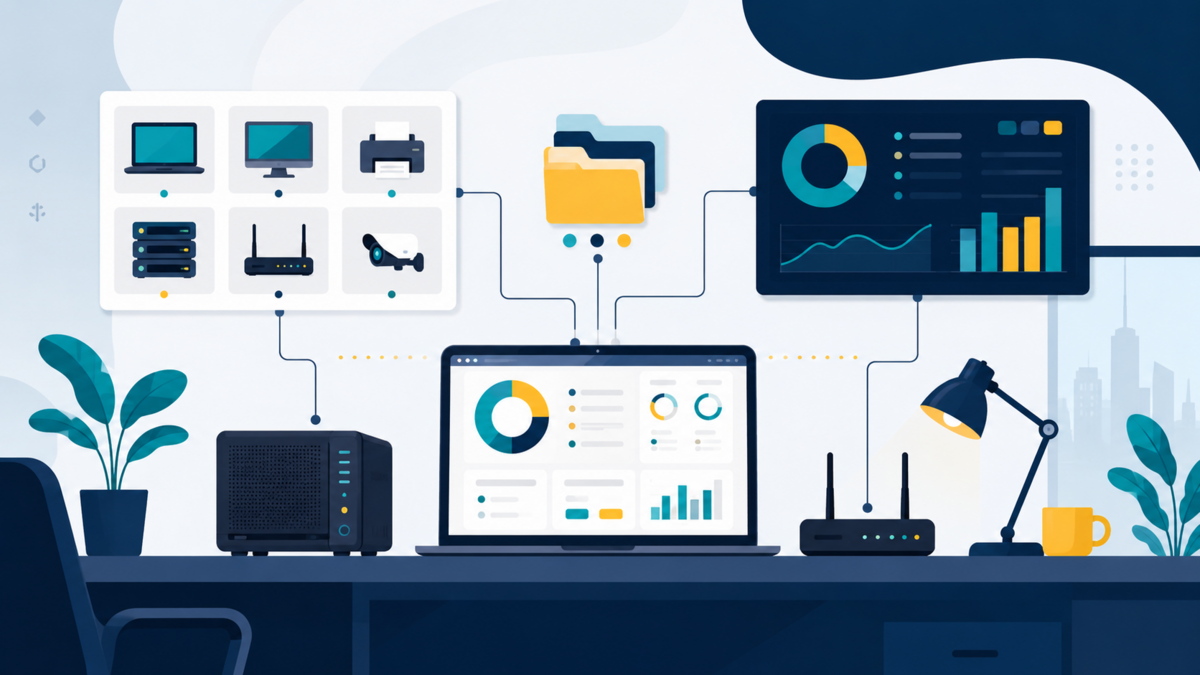
When discussing information security, our attention usually goes straight to firewalls, antivirus, or long passwords. All of that is important, but there is a much more fundamental question: what exactly are we protecting? I've seen small servers that are diligently updated, but old cloud accounts, backup routers, and customer spreadsheets on used laptops just don't make anyone's list. It was like putting an expensive padlock on the front door while forgetting to count how many doors there were in the house.
This is where IT asset inventory comes into play. This is not an administrative job that is only suitable for large companies with compliance teams. For small organizations, a simple, maintained inventory is the foundation for keeping security decisions from being made based on guesswork.
Assets are not just laptops and servers
IT assets are anything that is of operational value and needs to be managed. A work laptop is an asset, as are servers, work phones, access points and backup hard disks. But the list often stops too quickly. Domains, email accounts, Git repositories, cloud accounts, software licenses, API keys, SSL certificates, databases, and customer documents are also assets.
An easy way to imagine it is a small business kitchen. It's not just the stove that's worth noting; Gas cylinders, warehouse keys, raw materials, recipes and supplier numbers also determine whether the kitchen can continue to work. In IT, a forgotten administrator account can be as dangerous as a lost laptop, even when the physical devices in the office are properly locked.
Asset inventory helps answer several practical questions: who owns an account, where important data is stored, which devices are still getting updates, and what to do when a staff member leaves. Without those answers, responses to problems will be slow and easily misdirected.
Start with a goal, not a complicated spreadsheet
A common mistake is downloading a large template and then giving up because there are dozens of columns you don't understand. For the initial stage, just make a list that helps you with your daily work. Use shared spreadsheets, asset management applications, or even Markdown files stored in internal repositories. Importantly, it is easy to update and doesn't just turn on when an audit is coming.
Each asset should have a unique identity, name, type, owner, location or service where it resides, level of importance, and status. Add the last review date to keep the list from turning into a data museum. For digital assets, also record the owner's account or email, but do not store passwords or secrets in the inventory spreadsheet.
asset_id,nama,jenis,pemilik,lokasi,klasifikasi,status,ditinjau_pada
HW-001,Laptop Keuangan,perangkat,Ani,Kantor,rahasia,aktif,2026-08-06
SV-001,Server Aplikasi,server,Adam,rumah-server,penting,aktif,2026-08-06
SA-001,Domain perusahaan,layanan digital,Adam,registrar,penting,aktif,2026-08-06
DT-001,Database pelanggan,data,Tim Operasional,server aplikasi,rahasia,aktif,2026-08-06
The example is intentionally simple. The klasifikasi column can use options such as public, internal, important, and secret. There's no need to debate the terms for too long; What is needed is an agreement so that everyone knows that customer data should not be treated like promotional material that is open to the public.
Map assets with four simple groups
So that recording is not tiring, I usually divide the searches into four groups. First is hardware: laptops, desktops, cellphones, routers, printers, NAS, and backup media. Check the room, cupboard, and devices you bring to work from home. Small devices like routers are often forgotten, even though outdated firmware there can open the way to the internal network.
Second is software and services: operating systems, accounting applications, VPN, email, cloud storage, domains, hosting, and SaaS services. Don't just note down the name of the service. Write down who has administrator access and recovery email. When an account is created using a former staff member's personal email, the assets in practice are not actually controlled by the organization.
The third is data. Identify where customer, financial, contract, and source code data resides. Not all data needs to be labeled down to every file, but knowing its location and owner is helpful. Fourth is identity and access: admin account, SSH key, service account, API token, and vendor account. For the last group, the inventory can point to a password manager or vault, instead of copying secrets to a list.
Note system limits, not just application names
For self-managed systems, the application name alone is not enough. Also note the boundaries where the asset lives. In a modern PHP CMS, for example, public/ is the web root, while application code can be in app/, configuration and credentials in cfg/, the admin dashboard outside the web root, and private uploads in private_files/. All of these locations have different risks, owners, and backup needs.
Inventory also needs to connect the core system with plugins and supporting services. Translation plugins, push notifications, themes, databases, service workers, domains, and deployment accounts are not just visible features on a web page; each is an operational asset. Note the location of the source of truth, owner of administrator access, recovery method, and whether data or secrets are stored in it.
- Web root: files that can be presented to the public and static assets.
- Application and configuration: source code, environment files, database credentials, and secrets that must not be included in the repository or spreadsheet.
- Admin and private storage: dashboard, private uploads, backups, and media that requires access control.
- Extensions and services: plugins, themes, service workers, domains, email, push services, and deployment pipelines.
This separation helps when patches, backups, or incidents occur. The team not only knows that a website exists, but also knows which parts are public, which are sensitive, who is responsible, and how each part can be recovered without exposing data that should be private.
Determine the owner and value of the business
An ownerless asset usually does not have a clear future. When an update fails, a license expires, or a cloud bill comes, everyone thinks someone else will take care of it. Asset owners don't have to be the most technical people. He is the party who understands the function of the asset and ensures there is action when the asset needs to be updated, moved, or retired.
Next, provide a simple assessment of the impact if the asset is unavailable, leaked, or changed without permission. Catalog servers may have a high impact on availability. Customer databases have a high impact on confidentiality. A static website may have a moderate impact, but the deploy account still needs to be maintained because unauthorized changes can damage visitor trust.
This assessment makes priorities feel reasonable. Small teams don't need to treat all assets like a banking system. But they also shouldn't treat everything as ordinary goods. With a clear list, patching, backup, and securing access can start with the most important assets.
Relate inventory to operational habits
Inventory only has value if it is used while working. Keep the rules light: every new device is logged before use, every new SaaS service has an owner, and every staff entry or exit triggers an access review. When there's a phishing incident, the asset list helps figure out which accounts may have been impacted. When you want to apply a backup, the list shows which data is not yet on the schedule.
For organizations using Linux, the device list can also be compared with the results of periodic network scans. The following command does not replace inventory, but it can help find unregistered devices on your own local network.
# Jalankan hanya pada jaringan yang kamu kelola.

# Bandingkan host aktif dengan daftar aset yang telah disetujui.
Scan results need to be read carefully because guest phones or IoT devices may appear there. It's the conversations afterwards that are valuable: whose device is this, is it still needed, and is it on the right network? An inventory is a tool for asking good questions, not just a list to keep.
Schedule small but consistent reviews
The list of assets will definitely change. Laptops are replaced, accounts are created, domains are renewed, and projects stop being used. Therefore, a short quarterly review is more useful than a large cleaning project once a year. Allow 30 minutes to check for new assets, retired assets, accounts that no longer have an owner, and services for which bills are still outstanding.
If an organization is pursuing standards such as ISO 27001 or wants to follow CIS Controls, an asset inventory also provides evidence that management is being carried out consciously. But the biggest benefit is not in the audit documents. The benefits are felt when the server has problems at night and the team doesn't need to start from the question, "Whose server is this, huh?"
Closing
Mature security doesn't always start with expensive tools. It often starts with a simple, honest list of the devices, data, services and access we have. Once the assets are visible, then we can determine which ones should be backed up, updated, restricted access, or stopped.
Try starting this week by recording the ten most important assets in your organization or home server. From there, add owners and their level of importance. If you have an effective way to keep inventory alive, share it in the comments so we can learn from each other's practices.