
Microformats2 for a Personal Website - Making Your Pages Understandable to Machines
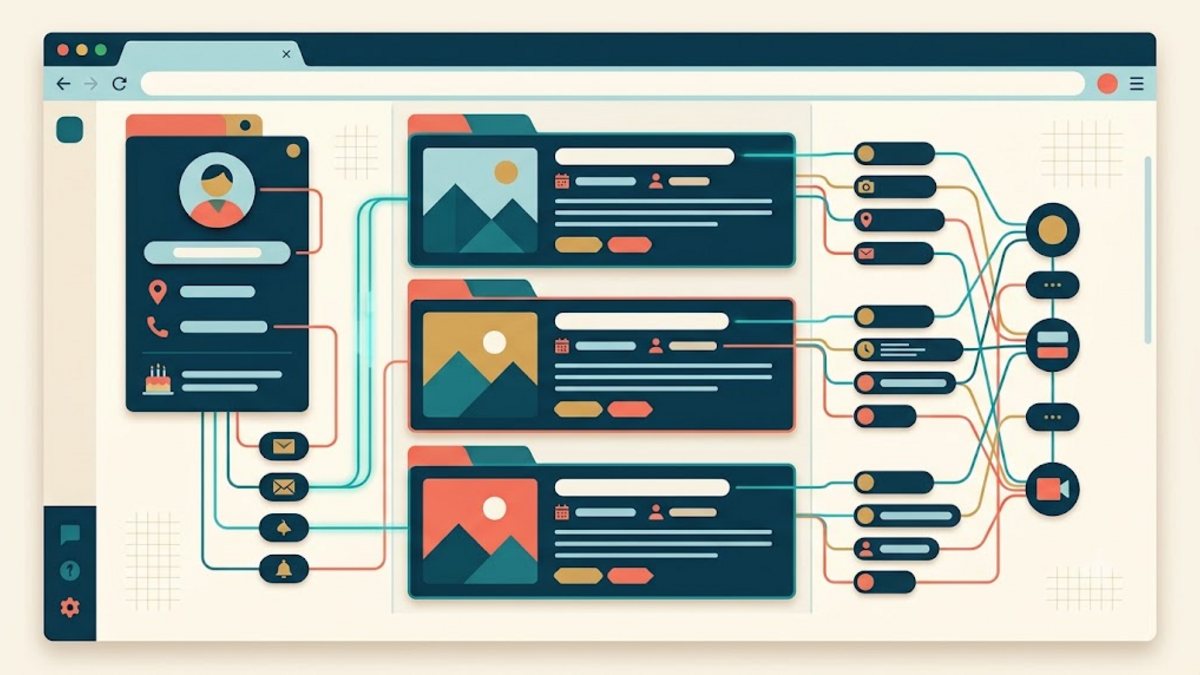
When I first added an RSS feed and Webmentions to a personal website, the pages looked exactly the same to human visitors. Under the surface, however, they had become easier for other tools to understand. Microformats2 follows the same idea: keep ordinary, readable HTML, then add a small vocabulary that explains what each piece of content means.
This is not about turning a personal site into a complicated data platform. It is closer to putting clear labels on drawers in a workshop. People can still open the drawers normally, while software no longer has to guess where the screws, cables, or measuring tools are stored.
What Microformats2 Actually Does
HTML already describes structure. A heading is a heading, a link is a link, and a paragraph is a paragraph. It does not necessarily say that a particular block represents a person, an article, an event, or a reply. Microformats2 adds that meaning through class names such as h-card, h-entry, p-name, and u-url.
The first letter communicates the kind of value. An h-* class identifies a complete object, p-* marks plain text, u-* marks a URL, dt-* marks a date or time, and e-* marks embedded HTML content. A parser can collect those properties, but a browser simply treats them as normal CSS classes. That graceful coexistence is the main attraction.
Start with an h-card for Your Identity
An h-card describes a person or organization. On a personal homepage, it can connect a name, profile photo, canonical URL, short biography, and social links. This gives IndieWeb readers, contact tools, and other parsers a reliable representation of the site owner without requiring a separate API.
<section class="h-card">
  <img class="u-photo" src="/static/img/profile.jpg" alt="Portrait of Adam Muiz">
  <h2 class="p-name">Adam Muiz</h2>
  <p class="p-note">I write about the personal web, security, and self-hosting.</p>
  <a class="u-url" href="https://adammuiz.com/" rel="me">adammuiz.com</a>
</section>
The visible text remains useful even when no parser is present. That is an important design test: Microformats2 should enrich a page, not become an excuse to hide essential identity in metadata that readers never see. The rel="me" attribute also helps establish that linked profiles belong to the same person.
Describe an Article with h-entry
For a blog post, the central object is usually an h-entry. Its properties can identify the title, publication date, author, permalink, summary, categories, and full content. Think of it as a shipping label attached to a parcel: the parcel is still the article, while the label lets different systems route and interpret it consistently.
<article class="h-entry">
  <h1 class="p-name">A Practical Guide to Microformats2</h1>
  <p>By <a class="p-author h-card" href="https://adammuiz.com/">Adam Muiz</a></p>
  <time class="dt-published" datetime="2026-08-09T18:00:00+07:00">9 August 2026</time>
  <a class="u-url" href="https://adammuiz.com/microformats2-personal-website/">Permalink</a>
  <div class="e-content">
    <p>The complete article belongs here.</p>
  </div>
</article>
Use an ISO 8601 value in the datetime attribute, including the time zone when time matters. The human-readable date between the tags can follow the language and style of the page. This separation prevents machines from misreading an ambiguous date such as 08/09/2026.
Choose Properties from Meaning, Not Appearance
A common mistake is adding every property found in an example. Start with the information the page genuinely contains. For an article, p-name, dt-published, p-author, u-url, and e-content form a useful baseline. Add p-category, u-photo, or p-summary only when those elements have a real counterpart in the interface.
Do not choose p-* merely because something looks like text. A permalink is still a URL, so it belongs in u-url. Rich article content belongs in e-content because its links, emphasis, lists, and code blocks matter. Semantic markup is much like naming variables: precision makes later integrations easier, while vague names push confusion downstream.
Connect Microformats2 to Webmentions and POSSE
Microformats2 becomes especially useful when a site participates in the wider social web. A Webmention receiver may fetch a linking page and look for an h-entry to determine who wrote it, what it says, and whether it represents a reply, like, bookmark, or repost. Properties such as u-in-reply-to, u-like-of, and u-repost-of make those relationships explicit.
A POSSE workflow can also parse the source entry before syndicating it to another platform. Instead of maintaining a second, private content schema, the publisher can extract the title, content, image, and canonical URL from the public page. Microformats2 therefore works as connective tissue: it does not replace RSS, Webmentions, or IndieAuth, but helps those parts exchange clearer information.
Keep the Markup Maintainable
Place Microformats2 classes in the templates that already render profiles and posts. Avoid duplicating invisible versions of the same content, because the visible and hidden copies will eventually disagree. If a CMS has one article template, a small template change can improve every existing and future post.
It is also wise to keep styling classes separate from semantic classes. A class such as article-title can control typography while p-name communicates meaning. Both may live on the same element. This makes a visual redesign less likely to remove structured data accidentally and allows the vocabulary to survive a theme change.
Test What Parsers See
A page looking correct in a browser does not prove that its structure is correct. Test a public URL with the Microformats parser at pin13.net/mf2. Inspect the resulting JSON and confirm that the expected h-card or h-entry appears with the right properties. Testing the deployed page also catches template, cache, and canonical URL mistakes that a local snippet may hide.
Then perform a human check. Disable CSS or inspect the page with a screen reader in mind. Images still need meaningful alt text, headings must remain ordered, and links should make sense outside their visual context. Microformats2 improves machine readability, but it does not repair inaccessible HTML. Good semantics begin with a solid document.
Adopt It Incrementally
You do not need to mark up an entire archive in one evening. Begin with the homepage h-card and the main h-entry template. Validate them, observe how existing IndieWeb tools interpret the pages, and only then add reply, bookmark, event, or review properties when your publishing needs call for them.
This gradual approach resembles organizing a kitchen while still cooking: label the cupboard you use most, confirm that the label helps, and continue one shelf at a time. The goal is not the largest possible vocabulary. The goal is durable HTML that humans can read, browsers can render, and independent tools can understand without asking permission from a central platform.
Conclusion
Microformats2 offers a modest but powerful upgrade for a personal website. With a few carefully chosen class names, a profile becomes an identifiable h-card and a post becomes a portable h-entry. The site stays ordinary HTML, yet RSS readers, Webmention tools, IndieWeb clients, and future integrations receive more dependable context.
Start with visible content, use the smallest meaningful set of properties, and validate the published result. If you have already added Microformats2 to your site, share which parser or integration benefited most in the comments. A small example from a real website can help another person make their corner of the web easier to understand.