
Passkeys for a Small Web Application — What Changes on the Server, and What Does Not
There is a specific moment in the life of a small web application when the login form starts to feel like a liability rather than a feature. Passwords leak, people reuse them, and adding a second factor means asking every user to read a short rotating code off a phone that may be in another room. Passkeys are usually offered at that moment as the way out, and the marketing around them is confident enough that it is easy to assume the problem simply disappears.
It does not disappear, and it does not all move in one direction. My starting question for this piece is narrower and more practical: if a small application moves from a password plus an authenticator app to passkeys, what actually changes on the server, and what stubbornly stays the same?
I want to be clear about the evidence behind this article before I go further. The factual claims come from two documents I worked through section by section for the parts discussed below, the Web Authentication Level 3 specification and NIST SP 800-63B-4, plus reference documentation from MDN and OWASP. This is not a report of a rollout. I did not implement passkeys on this site, and I have no measurement of how many accounts would actually enrol. Where the specification is prescriptive, I say what it requires; where it leaves a decision to the implementer, I try to mark that as an open question rather than dress it up as best practice.
What a passkey is, precisely enough to be useful
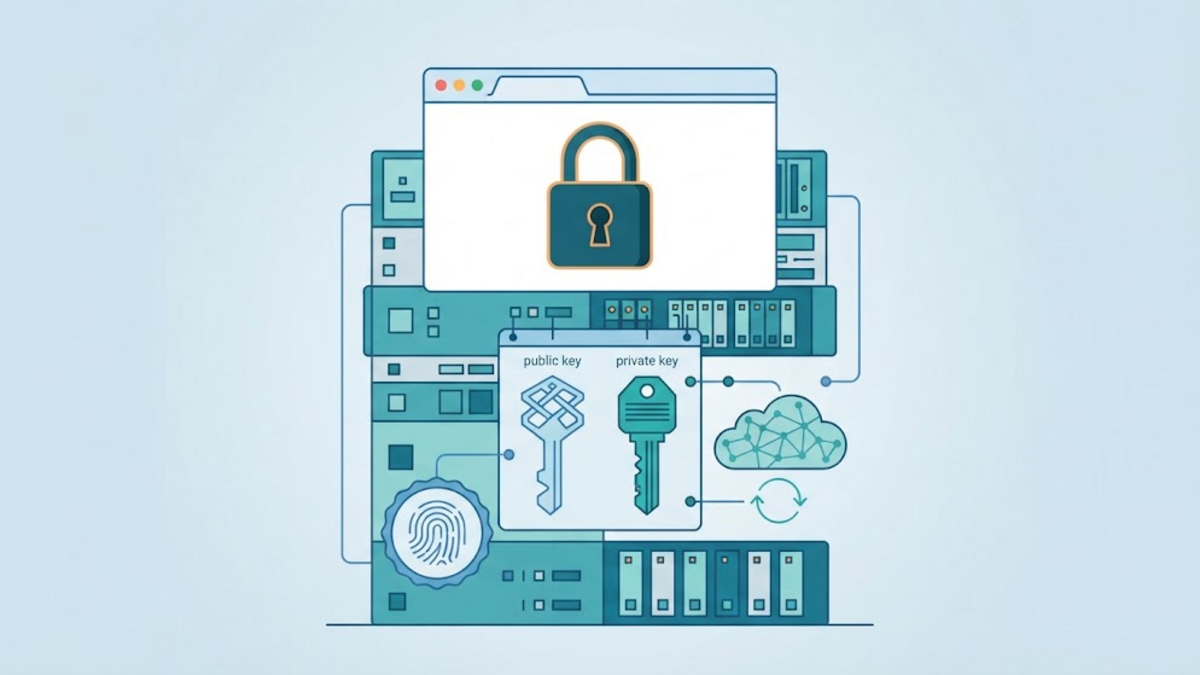
The word "passkey" names no separate mechanism: the specification's glossary lists it as another name for a discoverable credential. When you register one, an authenticator creates a key pair. The private half stays with the authenticator, which for a passkey that syncs between devices means it can be copied into a provider's storage, a complication I return to later. The public half goes to the server, associated with your account. When you later sign in, the authenticator signs a server-supplied challenge with the private key, and the server checks that signature against the public key it already holds. What crosses the network is a public key and a signature tied to a fresh challenge, not a reusable secret.
With a time-based one-time password, the arrangement is different. NIST describes a single-factor OTP system as containing two persistent values: a symmetric key that persists for the authenticator's lifetime, and a nonce that either changes on each use or is derived from a real-time clock. The expected code is computed from the key and the nonce, so the verifier needs the key itself and cannot keep only a hash of it. You can rate limit that code, encrypt the secret at rest, and restrict who may read it, and none of that changes the fact that the server holds material that can produce a valid code. A passkey removes that class of problem for the credential itself.
NIST's guideline draws a sharper line between the two, and the reason has to do with phishing. It states that authenticators which involve the manual entry of an authenticator output, naming out-of-band and OTP authenticators as examples, shall not be considered phishing-resistant, because the manual entry does not bind that output to the specific session being authenticated. WebAuthn is described in the same document as a standard that provides phishing resistance through verifier name binding, by choosing an authenticator secret based on the authenticated domain name of the verifier. That is a claim about the structure of the protocol, not about how attentive your users are.
Three roles matter for the rest of the article, and the specification uses them precisely. The relying party is the site that wants to verify you, which means your server. The user agent is the browser, and it exposes an API so a page can talk to hardware it does not control. The authenticator is what actually holds the private key: something built into the user agent or the operating system, such as Windows Hello, or a physical token such as a USB or Bluetooth security key. The glossary adds a term that matters for passkeys in particular: a client platform is a client device together with a client, and the same hardware device can be part of several different client platforms over time as it runs different operating systems.
On the web, passkeys are WebAuthn, and MDN marks the API as available across browsers since September 2021 while also noting it works only in secure contexts, meaning HTTPS. I would read that combination as a prerequisite for adoption at all: a browser API that only worked behind a certificate the average visitor does not have would have kept passkeys inside hobby projects.
The two ceremonies are the real work
Registration and authentication are usually described as one flow, which hides the part that decides whether an implementation is correct. They are two separate ceremonies, and the server has a verification checklist for each one. Level 3 of the specification is explicit about these lists, and a small application is entirely capable of implementing them, but only if it treats them as a checklist rather than as a library call with a security aura.
Registration starts with the server generating a challenge, sending it to the browser, and the browser asking the authenticator to create a credential. The authenticator returns its freshly created public key, an identifier for it, and an attestation statement. The server then verifies, among other things, that the hash of the relying party identifier inside the authenticator data matches the identifier it expected, that the user-presence bit is set unless the request came from a conditional autofill, that the user-verification bit is set if the server asked for user verification, that the backup-state bits are internally consistent, that the algorithm matches one the server offered, and that the credential identifier is not yet registered to another user. Level 3 caps credential identifiers at 1023 bytes and states that larger ones should cause the ceremony to fail.
That last check is not pedantry. The specification explains the reasoning: an attacker who has obtained a user's credential identifier and credential public key for a site could try to register the victim's credential as their own, and rejecting an identifier that is already known is what stops the substitution.
Authentication looks simpler from the outside and is where I would expect a hand-rolled implementation to break. The server issues a fresh challenge, the browser returns a signed assertion, and the server checks a list that I think is worth reproducing in plain language because the ordering matters:
- the type in the client data is
webauthn.get; - the challenge equals the one the server just issued, base64url-encoded;
- the origin is one the server expects;
- the relying party identifier hash matches the identifier the server expects;
- the user-presence bit is set, and the user-verification bit if verification was required;
- the signature verifies over the concatenation of the authenticator data and the hash of the client data.
Every one of those checks is doing a specific job. A challenge check stops replay. An origin check is what ties the assertion to your site. A relying party identifier check is what stops a credential registered for another site from being used here.
The challenge deserves a second look, because the specification is unusually direct about it. A dedicated section states that both creation and request challenges must be randomly generated by the relying party in an environment it trusts, such as the server, and that the returned value must match what was generated. The same section says the relying party should store the challenge temporarily until the operation is complete, should keep it valid only for a period similar to the upper limit of a ceremony timeout, and should make it at least 16 bytes long. In practice that means the challenge is a session-bound, short-lived, single-use value, and treating it as anything less than that quietly removes the replay protection the rest of the list exists to provide.
One more subtlety is easy to miss. Level 3 says user verification should be required if, and only if, the request set it to required. If your server does not ask for it, the specification tells you to ignore the user-verification bit rather than treat it as an extra factor you accidentally received.
Discoverable credentials and the autofill prompt
There are two ways a server can point an authenticator at a specific credential. With a non-discoverable credential, the server supplies the credential identifier it already stored, which is why the user usually has to type a username first. With a discoverable credential, the server supplies nothing, and the authenticator can offer every credential it holds for that relying party. Level 3 renamed this area, and the naming history is a small reminder of how young the field is: "discoverable credential" is the spec term, while "resident key" survives in the API and the data model for backwards compatibility.
MDN notes a consequence that has practical weight for any site with an existing password login: by definition, passkeys must always be discoverable credentials. That is what makes the autofill experience possible, where the browser invites the user to sign in with a passkey if and only if a suitable one is currently available, instead of asking the user to choose between two mechanisms. The markup change is one extra token inside the autocomplete attribute, webauthn, which both the browser documentation and the specification describe. For a site that is already password-based, that is probably the difference between a passkey option people use and a passkey option people scroll past.
The flags are the honest part of the story
WebAuthn authenticator data carries a small set of flags, and they are where the interesting trade-offs show up. Four of them are worth knowing by name: user present, user verified, backup eligible, and backup state.
The first two are the familiar ones. The second pair is newer in practice and much less discussed. Level 3 defines the combinations, and the table is short enough to quote:
| Backup eligible | Backup state | Meaning |
|---|---|---|
| 0 | 0 | Single-device credential. |
| 0 | 1 | Not allowed. |
| 1 | 0 | Multi-device credential, not currently backed up. |
| 1 | 1 | Multi-device credential, currently backed up. |
Source: WebAuthn Level 3, credential backup state.
The semantics matter more than the table suggests. A credential that can be synced, one that can be copied elsewhere, and one that has actually been copied are three different things, and only the last is what the backup state flag reports. Backup eligible is set during credential creation and must not change afterwards, while backup state changes over time. The specification recommends that a relying party store the most recent values, then suggests behaviours that are less obvious than they first look.
If a credential is not backup eligible, it is a single-device credential that the generating authenticator will never allow to be backed up, and the specification says a relying party should make sure each account has additional authenticators or a recovery process. If backup state moves from zero to one, the credential is protected against single-device loss, and the server may prompt the user to upgrade the account and remove their password. If it moves from one back to zero, because a backup service was switched off or simply failed, the relying party should guide the user through validating their other authentication factors, and if they have none, into adding one.
Read that last case as what it is: a passkey deployment is an account state machine that now has to notice a bit flipping, and then help a person through the consequences. For a one-person blog that is a feature you can skip. For an application with real accounts it is a design task, not a polish item.
NIST's guidance on the same flags is more cautious, and I think it is the more useful text for a public-facing site. In its appendix on syncable authenticators, SP 800-63B-4 says a verifier may use the backup eligible flag to restrict syncable authenticators, but that agencies should not condition acceptance on the backup state flag for public-facing applications because of user experience concerns. It also warns that the unavailability of attestations should not block syncable authenticators, since attestations are limited in consumer products and requiring them is likely to divert users to less secure options.
That is a helpful corrective to the enthusiasm around the flags. They are informative, not a policy engine, and a small application that starts rejecting synced credentials on backup state will mostly be generating support questions.
The signature counter is a signal, not proof
Authenticator data also carries a signature counter, signCount, and the specification is refreshingly honest about its limits. Authenticators should implement it, but those that do not leave the value constant at zero, so a relying party has to handle zero on both sides. Even when both values are non-zero, a new value less than or equal to the stored one indicates only that something might be wrong: two or more copies of the credential private key may exist and be used in parallel, the authenticator may be malfunctioning, or the relying party itself may be processing assertions out of order. The specification explicitly calls this a signal rather than proof, and leaves the decision of whether to fail the ceremony to the implementer.
The same section asks authenticators to implement per-credential counters rather than a global one, on the grounds that a shared counter could be used as a correlation handle for the user across sites. It is worth noticing what that discussion assumes. A security-considerations section of the specification states that it defines no protocol for backing up credential private keys or sharing them between authenticators, and that it is generally expected a credential private key never leaves the authenticator that created it. For a credential whose whole purpose is to be copied between devices, counter-based clone detection is one of the weaker reasons to feel reassured, and I have not found a requirement in the specification that such a credential must report a meaningful counter.
What does not change: recovery
This is the part I would put at the top of any passkey decision, and it is the part most often left out of comparisons. Removing the shared secret from your login does not remove the need to get a lost person back into their account.
NIST treats account recovery as a distinct event from authentication, with four recognised classes of method: saved recovery codes, issued recovery codes, recovery contacts, and repeated identity proofing. In its wording, a credential service provider shall support at least one of these. For saved recovery codes, the code must include at least 64 bits from an approved random bit generator, be stored in the account in hashed form, and be intended for offline storage by the subscriber. An account recovery event always causes at least one notification, precisely so that fraudulent recovery is noticed.
It is worth keeping the scope in view here. SP 800-63B is written for US federal agencies and does not bind a small site; its abstract describes guidance for subjects who interact with government information systems. It is simply the most explicit public guidance on this question that I found, and its reasoning is not specific to any government.
Read next to the credential story, the honest summary is this. Passkeys improve the security of the thing you verify with. They do nothing at all about the process you use to re-establish identity when the thing is gone. An application that adopts passkeys and leaves its password-reset path exactly as weak as it was has not finished the work, and may have made things worse, because the reset path is now the single remaining way in. The specification's own answer to credential loss is not a backup mechanism but breadth: relying parties should allow and encourage users to register multiple credentials on one account, so that losing one device is not the same as losing the account.
There is a second "does not change" worth stating plainly. Passkeys answer the authentication question. They say nothing about authorisation, about what an authenticated user may do, and nothing about the session that follows. A valid passkey assertion that produces a long-lived, badly scoped session cookie has simply moved the same mistake one layer up, which is why the existing advice about session identifiers, cookie flags, and idle timeouts is unaffected by anything in this article.
Two criticisms worth taking seriously
The first is about sharing. Password sharing is bad, and passkey sharing is a feature some implementations now offer deliberately. NIST is unusually direct: guidance has historically cautioned against sharing authenticators between users, some syncable implementations actively encourage sharing as a convenient and more secure alternative to sharing a password, the mitigations that exist for enterprise device management have no equivalent for public-facing applications, and an agency in that position should assume that all syncable authenticators may be subject to sharing. Whatever else passkeys do, they do not make account sharing disappear, and they hand part of that policy to whoever stores the synchronised copy.
The second is about assuming hardware. It is tempting to assume that a passkey lives in a secure element and cannot be extracted. OWASP's authentication guidance is careful not to grant that: for many authenticators, including common platform passkeys, the private key is generated and stored by the operating system's secure key manager, and keys may be protected by hardware-backed components such as a TPM, a Secure Enclave, or Android's Keystore, but some authenticators support synchronisation or backup that involves export or server-side storage, and not all implementations are hardware-backed. The explicit recommendation is not to assume keys are hardware-backed and non-exportable unless that has been verified, for example through authenticator properties or attestation.
Both criticisms point at the same structural shift. Passkey security depends on a chain that now includes a device, an operating system, a client platform, and usually a cloud account holding the synchronised copy. That chain is generally stronger than a shared secret in a database, but it is not one you fully control.
A decision checklist for a small application
If you run a small site and are considering passkeys, the questions I would actually answer first are not technical:
- Do you have more than one authenticator, or a recovery method, per account? The specification suggests both, and a site with a single administrator who owns one laptop deserves to think carefully about who restores access when the laptop is gone.
- Do you keep a password path as well? Keeping both is normal, and the password-free upgrade the specification describes only means something while there is a password left to remove. Every extra path is another path to harden.
- Will you verify the ceremony yourself or use a maintained library? Implementations in PHP exist and are maintained, for example the web-auth/webauthn-framework project, which describes itself as a set of PHP libraries and a Symfony bundle for integrating WebAuthn into web applications, released under the MIT licence. Writing your own COSE and CBOR handling to save a dependency is a poor trade for a small team.
- Can you explain your session handling without using the word "passkey"? If the answer is no, the sequencing is wrong.
There is also a version to consider. WebAuthn Level 3 became a W3C Recommendation in August 2026, and it deliberately kept older names in its API and data model for compatibility, as the discoverable-credential section shows. Libraries and platform APIs are not updated on the same schedule as the specification, so the version you implement against deserves a note in whatever you keep as implementation documentation, and worth a re-read when that version changes.
What I still do not know
Several practical questions remain open for me, and I would rather name them than paper over them. How well a given CMS plugin or framework integrates this without leaking abstraction problems is something I have not evaluated. Whether the autofill experience actually reduces support tickets for a small site, or simply moves confusion from the login form into the browser, is an empirical question I have no data for. And the harder question underneath both: how much of the security story survives a user who never enables a passkey at all and simply keeps the password they already had.
That last question is the reason I would not describe this as a replacement. For a small application, passkeys look best as a strong second option on top of a login that is already sound, not as a rewrite that dissolves the problems worth solving.
References
- W3C, Web Authentication: An API for accessing Public Key Credentials — Level 3, W3C Recommendation, 25 August 2026. https://www.w3.org/TR/webauthn-3/
- NIST, Digital Identity Guidelines: Authentication and Authenticator Management (SP 800-63B-4), July 2025. https://pages.nist.gov/800-63-4/sp800-63b.html (publication record: https://csrc.nist.gov/pubs/sp/800/63/b/4/final)
- MDN Web Docs, Web Authentication API. https://developer.mozilla.org/en-US/docs/Web/API/Web_Authentication_API
- OWASP Cheat Sheet Series, Authentication Cheat Sheet. https://cheatsheetseries.owasp.org/cheatsheets/Authentication_Cheat_Sheet.html
- GitHub, web-auth/webauthn-framework (FIDO-U2F / FIDO2 / WebAuthn framework, MIT). https://github.com/web-auth/webauthn-framework