
Preventing Link Rot on a Personal Website — Keeping Old Pages Useful
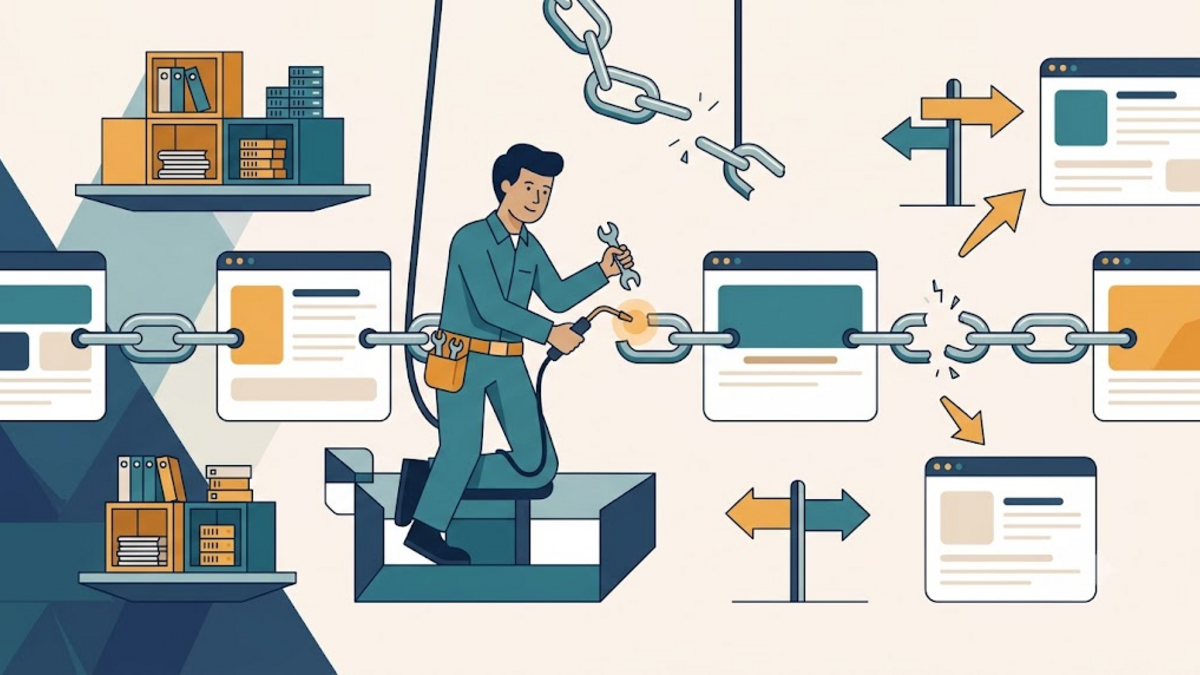
Every personal website eventually becomes a small museum. An old tutorial still receives visitors, a bookmarked essay keeps circulating, and a project page quietly documents something we once cared about. Then one day a link inside that page leads nowhere, and a useful path through the web becomes a locked door.
Link rot sounds like minor housekeeping, but it affects trust, accessibility, and the historical value of a site. The good news is that we do not need an enterprise crawler or a perfect archive. With a deliberate linking habit, a lightweight check, and sensible fallbacks, an independent website can remain useful long after publication.
What link rot actually means
A link has rotted when its destination no longer delivers what the author intended. The obvious case is an HTTP 404 Not Found, but failure has other forms: a domain expires, an article moves behind a login, an HTTPS certificate breaks, or the URL redirects to an unrelated home page. A server can return 200 OK while showing a parking page, so status codes tell only part of the story.
Internal and external links fail differently. We control internal routes, making redirects and stable slugs practical. External destinations belong to someone else; they can change without warning. Think of an internal link as a door inside your house and an external link as directions to a neighborhood shop. You can repair your own hinge, but you cannot prevent the shop from moving.
Why old links deserve attention
Broken links interrupt readers at the exact moment they ask for evidence, context, or a next step. That friction is especially costly in technical writing, where a specification, repository, or cited explanation may be necessary to complete a task. Search engines also use links to discover pages and understand relationships, although link maintenance should serve people before algorithms.
There is a quieter reason too: personal sites are records of their time. A post about a tool from five years ago may no longer describe current software, yet it can still explain how an idea evolved. Preserving the route to its references is similar to keeping labels beside objects in a museum. Without the labels, the objects remain, but much of their meaning disappears.
Start with links you control
The strongest defense is a stable internal URL policy. Choose readable slugs that describe the subject rather than the date, a temporary campaign, or the current navigation hierarchy. Avoid changing a published slug merely to polish a keyword. If a move is necessary, keep a permanent redirect from every known old address to the closest equivalent page.
Use root-relative links such as /about/ for routes on the same site. They survive a domain or protocol change more gracefully than hard-coded absolute URLs. Also distinguish a renamed page from deleted content. A rename deserves a 301 or 308 redirect; intentionally removed content may deserve an honest 410 Gone response instead of silently sending every visitor to the homepage.
location = /old-backup-guide/ {
    return 301 /automatic-backups/;
}

location = /retired-experiment/ {
    return 410;
}
Redirects should be direct, not a chain of several historical addresses. Each extra hop adds latency and another point of failure. Keep a small redirect map in version control so migrations remain understandable rather than turning into folklore known by only one administrator.
Link to durable external sources
No external URL is immortal, but some are better bets. Prefer canonical project documentation, standards bodies, original research, and repositories owned by the project over search-result URLs, tracking links, URL shorteners, or copied summaries. Remove unnecessary query parameters when they do not identify essential content.
Write enough context around each citation that the sentence still makes sense if the destination disappears. Instead of “read this,” name the document, organization, and claim being supported. A descriptive link such as W3C guidance on persistent URIs gives a future reader clues for finding a replacement. The link becomes supporting evidence rather than the only container of meaning.
Keep an archive without pretending it is live
For important references, store the title, author, publication date, and access date in the article or its source notes. When licensing and storage rules allow it, preserve your own copy of material you own. For third-party pages, an archive service can provide a useful fallback, but it should not automatically replace the original URL while that source remains available.
A transparent pattern is to link to the original and add an “archived copy” beside it only when needed. Mark the snapshot date because archived pages can be incomplete, omit interactive elements, or preserve outdated information. An archive is a photograph of a shopfront, not the shop itself: valuable when the building changes, but not proof that everything inside still works today.
Run a small automated link check
Automation catches routine failures before readers report them. A crawler can collect links from the sitemap, request each destination, follow redirects, and record the final status. Start gently: limit concurrency, identify the user agent, use timeouts, and avoid repeatedly hitting external sites. Run the check weekly or after a deployment rather than on every page view.
For a quick investigation, curl shows redirect headers and the final response. The same command works in EN, ID, and DE versions because URLs and code do not need translation.
curl --location --head --max-time 15 \
  --user-agent "PersonalSiteLinkCheck/1.0" \
  "https://example.com/reference"
Treat results as signals, not verdicts. Some servers reject HEAD requests but accept GET; others return 403 to automated clients. Retry uncertain failures manually before editing an article. Record the source page, original URL, final URL, status, and check time so the report leads directly to a repair.
Repair broken links with editorial judgment
When a link fails, first ask what role it played. If it cited a fact, find the same primary source or a credible replacement and update any wording that no longer matches. If it documented a historical event, preserve the original URL in the text and add an archive link. If it was merely a convenience, removing it may be cleaner than substituting a weaker page.
Do not redirect readers to a vaguely related homepage just to eliminate a red mark in a report. A technically successful response can still be an editorial failure. Add a short note when a replacement materially changes the context, and update the article date only if the site clearly distinguishes a minor maintenance edit from a substantial revision.
Make maintenance a calm routine
A practical workflow has three rhythms. Check internal links during every deployment, scan external links on a weekly or monthly schedule, and review the most important evergreen articles a few times each year. Prioritize pages with traffic, tutorials with commands, and articles containing primary citations. The goal is not a dashboard with permanent zeroes; the web changes too quickly for that.
Keep a short maintenance log with the broken URL, affected page, chosen action, and date. Over time, patterns become visible. If one documentation host repeatedly changes routes, you may link to versioned documentation or cite section titles more explicitly. If your own migrations create most failures, improve the redirect checklist before buying another monitoring tool.
Conclusion: preserve paths, not perfection
Preventing link rot is less like sealing a time capsule and more like maintaining a neighborhood path. Leaves return, signs fade, and buildings change, but occasional care keeps the route useful. Stable slugs, direct redirects, durable sources, descriptive citations, respectful automated checks, and honest archives cover most of what a personal website needs.
Choose one evergreen page today and test every link it contains. Repair the most meaningful failure, note what changed, and turn that small action into a recurring habit. If you have a link-maintenance workflow that works well for your site, share it in the comments so other independent publishers can learn from it.