
Push Notification Icon Prioritization System — 4 Fallback Levels
Have you ever seen push notifications from a website appear with an inappropriate icon? On Windows the bell.svg appears, on mobile the favicon appears. This happens because there is no clear icon priority — the system just sends the default icon configured in settings.
However, ideally, notifications about new articles should display a thumbnail of the article, or at least the first image of the article content. Only if it really isn't there, fallback to the default icon or favicon.
The problem
In the Browser Push Notifications plugin that I made, the Default Notification Icon configuration can only be filled with one static URL. As a result:
- All notifications use the same icon (bell.svg)
- There is no visual context to the promoted article
- On different devices, icons may appear different due to OS fallback
4 Level Fallback System
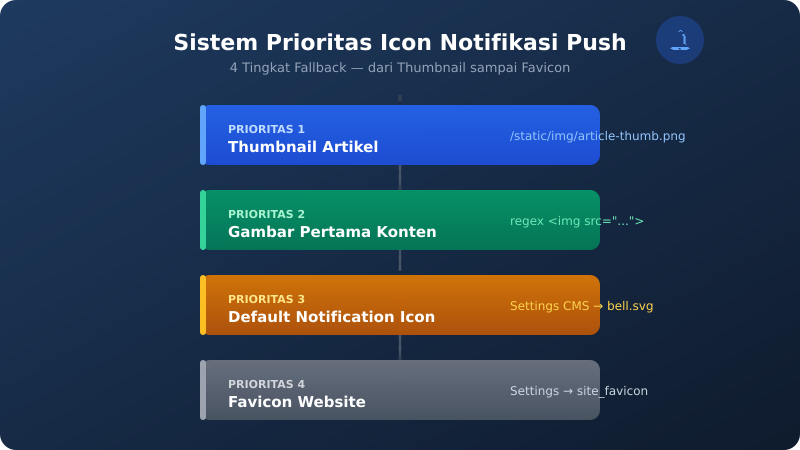
The solution: every time a push notification is sent including an article URL, the system automatically looks for the icon in the following priority order:
| Priority | Source | Examples |
|---|---|---|
| 1 | Article thumbnail | /static/img/2026/07/push-thumb-hd.png |
| 2 | First image in content | <img src="..."> |
| 3 | Default Notification Icon | Settings CMS → bell.svg |
| 4 | Website favicon | Settings → site_favicon |
The way it works is simple: when the push notification API receives a request with an article URL, it extracts the slug from the URL, queries the database to find the post, then checks the thumbnail. If there is a thumbnail, use it straight away. Otherwise, regex <img src="..."> from the content to grab the first image. If it's still not there, fallback to configuration.
Implementation
On the /api/push/send.php endpoint, the logic is just a few lines:
// Auto-resolve icon: thumbnail → first image → default → favicon
if (empty($icon) && $url !== '') {
    $slug = extract_slug_from_url($url);
    $post = query_post_by_slug($slug);

    if ($post->thumbnail) {
        $icon = $post->thumbnail;
    } elseif (first_image_from_content($post->content)) {
        $icon = $first_image;
    }
}

if (empty($icon)) {
    $icon = get_default_icon_setting();
}
if (empty($icon)) {
    $icon = get_favicon_setting();
}
With this system, every article published via the scheduler will automatically have its thumbnail appear in the push notification. No additional configuration required — just ensure the push API is called with the correct article URL.
Conclusion
This 4-level fallback system ensures push notifications always appear with the relevant icon. The priority of article thumbnails provides better visual context than the same bell icon. And if the article doesn't have a thumbnail at all, there's still a fallback to the website favicon, so it's never empty.
The complete code for this plugin can be seen at github.com/adammuizweb/browser-push.