
RSS Feeds — Building a Calmer Information Diet You Control
For years, I treated the internet like a river that had to be watched continuously. If I looked away from social media, an important article, release, or conversation might float past me. The result was not better knowledge, but a restless habit of checking streams selected by algorithms whose priorities were different from mine.
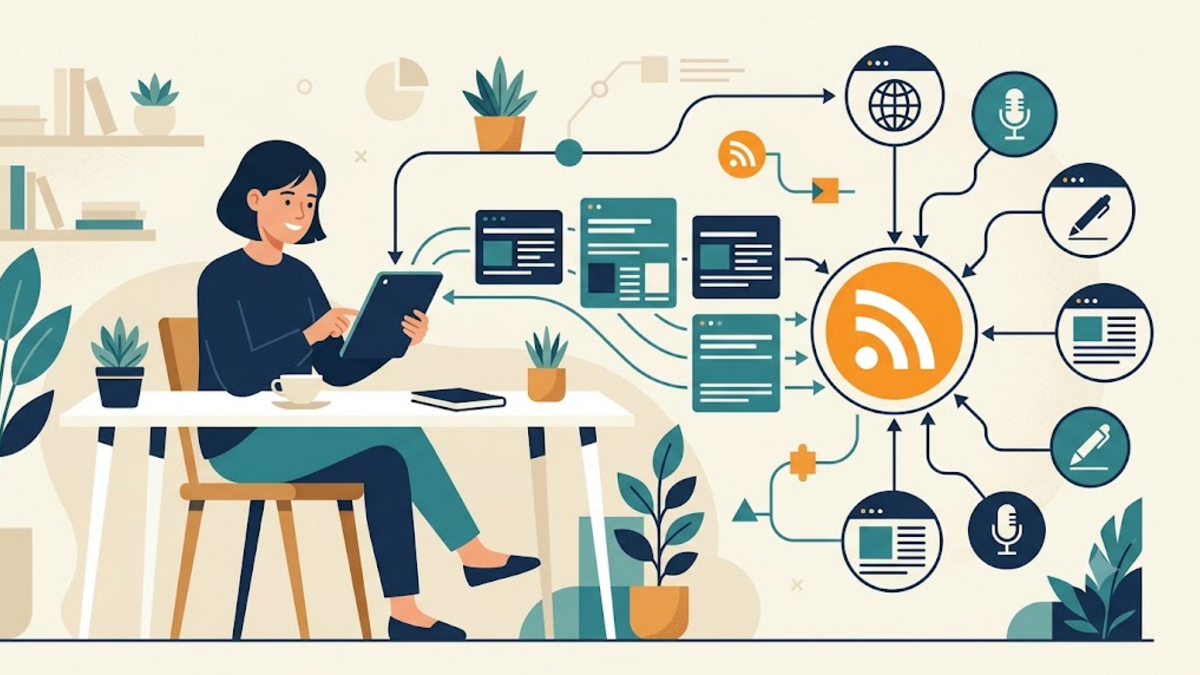
RSS offers a quieter alternative. It does not promise to make every page interesting or remove the work of choosing what to read. It simply lets websites deliver new entries to one place, in chronological order, without requiring an algorithmic timeline. That modest idea can turn information consumption from an endless buffet into a weekly basket that you packed yourself.
What RSS Actually Does
RSS stands for Really Simple Syndication. A publisher exposes a machine-readable feed, usually as XML, containing recent titles, dates, links, summaries, and sometimes complete articles. An RSS reader periodically checks that address and shows anything it has not seen before. Podcasts rely on the same broad mechanism: the feed tells an app that a new episode and media file are available.
This separation matters. The website remains responsible for publishing, while your reader is responsible for presentation and reading state. You can follow a personal blog, a security advisory, a YouTube channel, and a software release page without opening four platforms every morning. There is no recommendation engine deciding that outrage deserves more visibility because it produces another click.
Why a Feed Feels Different from a Timeline
A social timeline resembles a supermarket that rearranges its aisles whenever you enter. The products at eye level are those the store wants to move, and there is deliberately no natural finishing point. An RSS inbox is closer to a mailbox. New items arrive, you inspect them, keep a few, discard the rest, and eventually reach zero.
Chronology also makes the system understandable. If twenty subscriptions publish thirty entries, the reader has thirty entries, not an opaque selection mixed with promoted posts. This does not automatically prevent overload; subscribing to five hundred noisy sources can recreate the same problem. The important difference is agency: every source is present because you added it, and every source can leave because you removed it.
Choose the Reader Before Collecting Feeds
Start with the simplest reader that fits your devices. Local desktop applications such as Thunderbird or NetNewsWire keep the setup straightforward. Hosted services such as Feedly or Inoreader make synchronization convenient. Self-hosted tools such as FreshRSS and Miniflux provide more control, but they also require updates, backups, and monitoring. Self-hosting is useful when it serves a requirement, not when it merely turns reading into another server project.
I would evaluate four details: reliable synchronization, readable typography, easy export, and a comfortable way to mark items as read. Search and filtering are valuable later, but portability matters from day one. A reader should let you export subscriptions as OPML, an XML format understood by most alternatives. That exit door prevents a useful collection from becoming trapped in one application.
Find and Inspect a Feed
Many readers can discover a feed when you paste a website URL. If discovery fails, look for an RSS icon or links named RSS, Atom, Feed, or Subscribe. Common paths include /feed/, /rss.xml, and /atom.xml. Browser source may also contain a discovery link in the page head:
<link rel="alternate"
      type="application/rss+xml"
      title="Example Site Feed"
      href="https://example.com/feed.xml">
Open the feed address if you are uncertain. Raw XML may look unfriendly, but you should be able to recognize the site title and recent entry links. Check whether the feed is official and uses HTTPS before subscribing. Third-party feed generators can be useful for sites without feeds, although they introduce another service that can fail, change content, or observe your requests.
Build a Small, Intentional Subscription List
Do not begin by importing every account you ever followed. Pick perhaps fifteen sources across three purposes: updates you must know, writing you enjoy, and subjects you are actively learning. For a technical list, that might mean a distribution security feed, two project release feeds, several independent blogs, and one or two publications with consistently careful reporting.
Then give the list time. After two weeks, notice which sources you always skip and which publish ten shallow entries for every useful one. Unsubscribe without guilt. A feed subscription is not a lifelong endorsement; it is permission to use a little of your future attention. Like keeping tools on a workbench, fewer well-chosen items often make the whole space more useful.
Use Folders as Reading Modes
Folders work best when they describe how urgently you read, not merely what a source discusses. I use a structure like Priority, Learning, and Leisure. Security alerts and service status updates belong in Priority. Long technical essays can wait in Learning. Hobbies and broad inspiration sit in Leisure. This arrangement supports different moments instead of presenting one intimidating unread total.
You can also reserve a folder for high-volume feeds and mark it read freely. The unread count is a tool, not a debt. If returning from a holiday reveals eight hundred entries, scan the critical folder and clear the rest. An information system should help you resume your life, not punish you for having one.
Preserve Portability with OPML
Once the collection becomes valuable, export it periodically. An OPML file records feed titles, addresses, and folder hierarchy. It does not usually include starred articles or reading history, but it is enough to rebuild the core subscription list in another reader. A small excerpt looks like this:
<opml version="2.0">
  <body>
    <outline text="Learning">
      <outline text="Example Blog"
        type="rss"
        xmlUrl="https://example.com/feed.xml" />
    </outline>
  </body>
</opml>
Keep this export with your normal documents backup, and create a fresh copy after major subscription changes. If you self-host a reader, back up its database as well because tags, filters, saved items, and credentials may live outside OPML. Test an import once; an untested export is reassurance, not yet a recovery plan.
Create a Reading Rhythm, Not Another Reflex
RSS becomes less calming if its icon is checked every five minutes. Choose a rhythm suited to the material. Operational alerts may deserve immediate notifications through a separate channel, while essays can wait for a morning or weekend session. I prefer opening the reader once or twice a day, scanning titles, and sending only a few substantial pieces to a read-later queue.
Separating discovery from deep reading reduces context switching. During scanning, decide rather than consume: delete, save, or read a short update. During a reading session, open the saved list without the pressure of incoming items. It is similar to preparing ingredients before cooking; both activities matter, but mixing them continuously makes the kitchen feel chaotic.
Know What RSS Cannot Solve
Some sites publish incomplete feeds, update them inconsistently, or provide none at all. RSS also lacks the social context that can make community discussions valuable. You may still need newsletters, forums, curated link pages, or occasional social searches. The goal is not ideological purity. It is to give stable, trusted sources a calmer route to you and use noisier channels deliberately.
Feeds can also carry tracking links or externally hosted images, so privacy is not absolute. Reader security matters because feed content is untrusted input. Keep the application updated, avoid readers that execute arbitrary scripts, and use authentication carefully for private feeds. A self-hosted reader exposed to the internet deserves the same HTTPS, backup, and access-control discipline as any other web application.
A Smaller Internet You Can Finish
RSS does not recreate an older, perfect internet. It provides a practical protocol for choosing sources, seeing updates in a predictable order, and leaving when a tool no longer works for you. Begin with one reader and a short list, organize feeds around reading urgency, export OPML, and prune regularly. Those small choices are more important than finding the most advanced application.
The reward is not an empty inbox every day. It is a relationship with information that has edges: you know why something arrived, you can decide when to read it, and you can eventually be finished. If you already use RSS, share the feed that has earned a permanent place in your reader. If you do not, try following five websites for a week and notice how different the internet feels when you choose the current.