
Storage Management for Home Servers — Understanding ZFS, LVM, and Software RAID
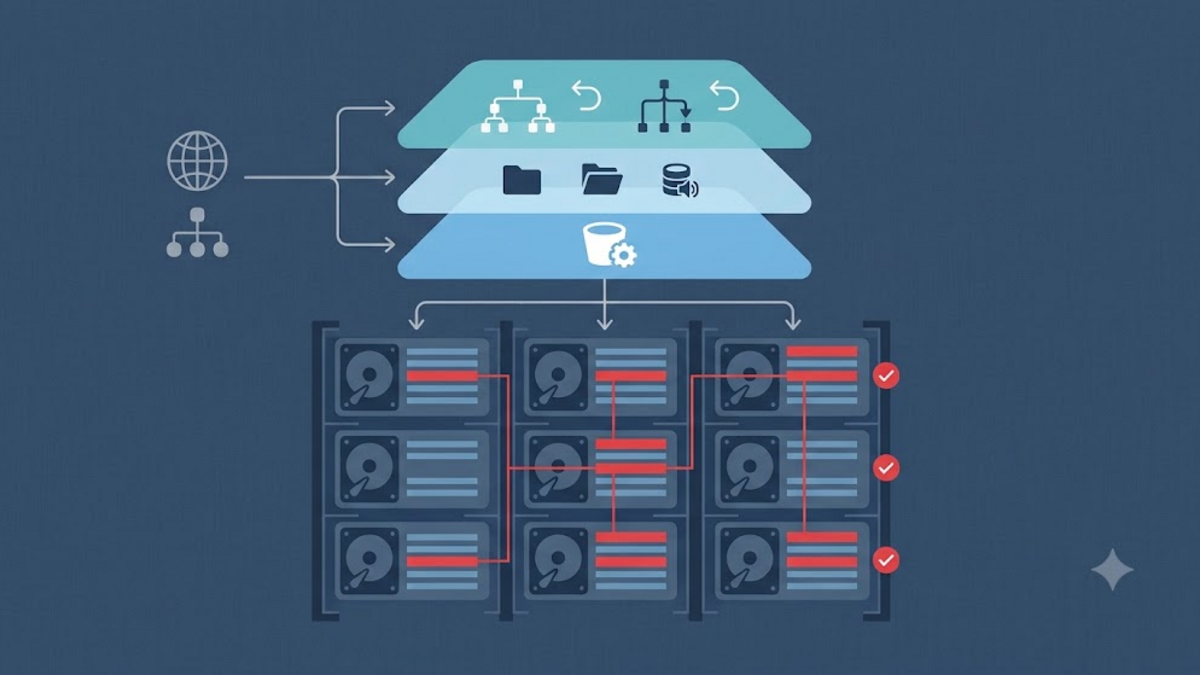
Every year, the file size in my house gets bigger. Photos from cellphones, project screen recordings, operating system ISOs, container images, to CMS database backups — all fight for space on the hard disk. At first, a single 1 TB external disk feels spacious. But once the data started piling up and the disk was squeaking in pain, I realized: storage management is not something that can be handled by "buy a new disk, copy-paste, then forget".
In this article, I want to discuss three storage approaches that often appear when we assemble a home server: software RAID, LVM, and ZFS. Each has character, advantages and compromises. The choice is not always about the "most advanced", but the one that best suits our needs and resources.
Why does Storage on a Home Server Need Planning?
Imagine a wardrobe that didn't have shelves to begin with. New clothes were just thrown in, piled in a corner. After a while, looking for your favorite t-shirt takes five minutes and there is always one t-shirt that "suddenly" disappears. Storage without a strategy is similar to that: data comes in, but is never properly organized.
On a home server, storage problems usually appear in the form:
- The disk is full without warning, even though another disk is still empty.
- Important data is only stored in one place, without backup.
- The process of expanding capacity is complicated because the partition is already locked.
- Data corruption is detected after it is too late, when the file can no longer be opened.
Fortunately, Linux has several tools to deal with this. The three most frequently discussed are software RAID, LVM, and ZFS. I will explain one by one, starting from the simplest.
Software RAID with mdadm — Classic Reliability
mdadm is the most traditional way to combine multiple disks into one RAID array. RAID itself has a simple concept: we store data on more than one disk to gain speed, capacity, or failure tolerance.
On home servers, the most frequently used are RAID 1 (mirroring, the same data on two disks) and RAID 5/6 (parity, one or two disks can be damaged without losing data). The advantages of mdadm are:
- Already present in almost all Linux distros by default.
- The configuration is relatively easy to understand.
- Compatible with various filesystems such as ext4 or XFS.
But mdadm also has limitations. RAID only handles redundancy at the disk level. It doesn't know the contents of files, can't detect silent corruption, and doesn't have a built-in snapshot feature. If the data is damaged at the filesystem level, RAID will faithfully copy the damage to another disk.
# Contoh membuat RAID 1 dengan dua disk menggunakan mdadm
sudo mdadm --create /dev/md0 --level=1 --raid-devices=2 /dev/sdb /dev/sdc

# Memantau status array
sudo mdadm --detail /dev/md0

# Simpan konfigurasi agar tetap aktif setelah reboot
sudo mdadm --detail --scan | sudo tee -a /etc/mdadm/mdadm.conf
LVM — Unlimited Flexibility
LVM or Logical Volume Manager is an abstraction layer on top of physical disks. Think of LVM like a bank account: your money can come from several sources, but you manage it as one balance that can be divided up as needed.
With LVM, we can:
- Combine multiple disks into one volume group.
- Create a logical partition whose size can be changed at any time.
- Create a snapshot before making major changes.
- Add a new disk without having to reformat the system.
LVM does not provide redundancy by default. It is flexible, but needs to be paired with RAID if we want data security. Many admins use a combination: RAID 1 or RAID 5 at the bottom, LVM at the top, then ext4 or XFS as the filesystem.
# Inisialisasi physical volume
sudo pvcreate /dev/sdb /dev/sdc

# Buat volume group
sudo vgcreate vg-data /dev/sdb /dev/sdc

# Buat logical volume 500 GB
sudo lvcreate -L 500G -n lv-storage vg-data

# Format dengan ext4
sudo mkfs.ext4 /dev/vg-data/lv-storage

# Mount ke /mnt/storage
sudo mount /dev/vg-data/lv-storage /mnt/storage
ZFS — Versatile Modern Storage
ZFS is different from the previous two. It's not just RAID or LVM; ZFS is both a filesystem and a volume manager. It combines storage, redundancy, compression, snapshot and integrity checksum functions in one integrated system.
Imagine ZFS like a personal assistant that not only stores your items, but also records each item, checks whether it is still intact, and can restore it to its original condition if something goes wrong.
ZFS superior features include:
- Copy-on-write: old data is not immediately overwritten, so it is safer in the event of a disruption.
- Checksum for each block: ZFS can detect and repair silent corruption automatically.
- Snapshot and clone: creates restore points almost instantly without taking up much space.
- Compression and deduplication: save space for repetitive data.
- RAID-Z: a variant of typical ZFS RAID that is more efficient than traditional RAID 5.
But ZFS also has another side. It is heavier in memory usage, especially if we enable deduplication. Integration with Linux was problematic due to licensing, although now ZFS on Linux is quite mature and stable.
# Contoh membuat pool ZFS dengan mirror (RAID 1)
sudo zpool create datapool mirror /dev/sdb /dev/sdc

# Mengaktifkan kompresi
sudo zfs set compression=lz4 datapool

# Membuat snapshot
sudo zfs snapshot datapool@sebelum-update

# Melihat status pool
sudo zpool status datapool

# Melihat penggunaan ruang
sudo zfs list
Comparing the Three
| Aspect | mdadm RAID | LVM | ZFS |
|---|---|---|---|
| Main function | Disk redundancy | Volume flexibility | Filesystem + volume manager |
| Data corruption detection | No | No | Yes, automatic |
| Snapshot | No | Yes | Yes, very efficient |
| Complexity | Low | Medium | High enough |
| Suitable for | Simple server that requires disk tolerance | Environments that change size frequently | NAS, backup, long-term critical data |
Which to Choose for Home Server?
The choice depends on our needs and comfort in managing the system.
If you're building a home server for the first time and only have two disks, mdadm RAID 1 is a reasonable starting point. The configuration is not too complicated, and you can still use familiar file systems such as ext4.
If your home server changes frequently: sometimes adding disks, sometimes adding services, sometimes needing to resize partitions — LVM will be very helpful. Its flexibility means you don't have to bother reformatting just because your space needs change.
If the data you store is valuable — family photos, work files, project backups — and you want features like automatic snapshots and protection against silent corruption, ZFS is worth the investment. There's a learning curve, but once you get going, it's like upgrading from a bicycle to a motorbike: faster, safer and more comfortable.
Practical Notes Before Starting
Whatever you choose, there are several things I always do before touching the storage configuration:
- Backup first. RAID, LVM, or ZFS are not a replacement for backup. They protect against disk failure, not against human error or ransomware.
- Understand hardware limitations. Do not use USB disks for intensive RAID or ZFS. USB latency and stability can be a nightmare.
- Document the configuration. Note down the commands you run, the pool name, volume name, and disk schema. When it's urgent, this note will save you.
- Test recovery. Before entrusting important data, try simulating disk failure and the recovery process. It's better to cry during practice than for real.
Conclusion
Storage management on a home server is not about choosing the latest technology, but about understanding the trade-offs. mdadm is simple and reliable. LVM is flexible for dynamic environments. ZFS is powerful and modern, but requires more resources and patience.
For myself, I'm currently more comfortable with a combination of LVM over RAID 1 for daily data, while continuing to learn ZFS for long-term archives. Everyone has different priorities. Most importantly, don't wait until the disk is full or damaged before starting to think about storage strategies.
If you've had experience with any of the three, I'd love to hear about it in the comments. Also share if there is a unique configuration that you use on your home server.